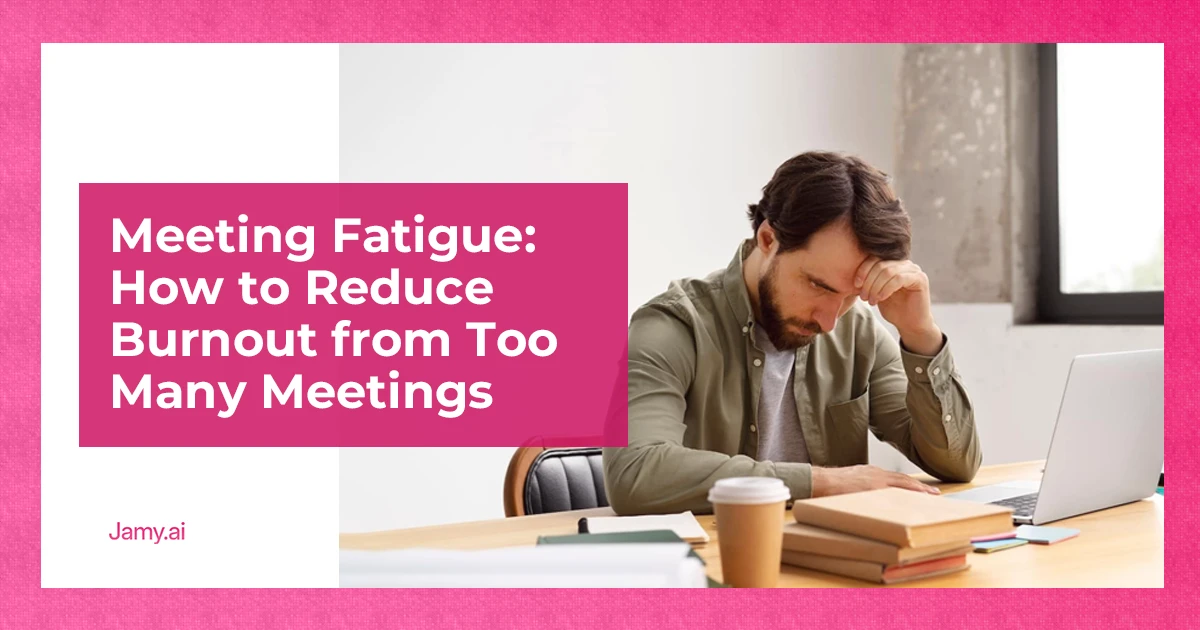

Meetings are meant to create alignment and momentum. Instead, for many teams, they’ve become a source of stress, distraction and burnout.
With the rise of remote work, video calls have become central to staying connected. Not just for work, but also for maintaining our social life. As face-to-face meetings have been replaced by virtual ones, especially through the use of videoconferencing platforms, the frequency and intensity of video calls have increased. This is especially true in remote and hybrid teams, where virtual meetings dominate the workday.
In this guide, we’ll cover:
- What meeting fatigue is and why it’s becoming more common
- How too many and back-to-back meetings lead to burnout
- Practical ways to reduce meeting overload without losing alignment
We’ll also show how better documentation and async follow-ups help teams meet less, while still staying on the same page.
What Is Meeting Fatigue and Why Does It Happen?
Meeting fatigue is the mental and physical exhaustion caused by excessive meetings, particularly virtual ones. It’s not just about time spent in meetings, but the cognitive load they create.
Every meeting demands:
- Sustained attention
- Context switching
- Social interaction and decision-making
When these demands stack up across the day, fatigue builds quickly.
Virtual meeting fatigue, often referred to as Zoom fatigue, amplifies this effect. Researchers have even developed a ‘Zoom Exhaustion & Fatigue Scale‘ to measure the impact of virtual meetings. Constant screen focus, reduced non-verbal cues and the pressure to stay ‘on’ all day make online meetings more draining than in-person ones. Prolonged eye contact during video calls can be exhausting and feels unnatural, adding to the strain. Increased self-awareness from seeing yourself on camera, along with social pressure to perform and appear engaged, also contributes to mental exhaustion.
Why Too Many Meetings at Work Lead to Burnout
Having too many meetings at work fragments attention. Instead of focused work, the day becomes a series of interruptions.
Meeting overload leads to burnout because:
- Deep work is constantly disrupted
- Decisions are revisited instead of resolved
- Meetings are used to share information that could be asynchronous
Over time, employees feel busy but unproductive. This gap between effort and output is a key driver of meeting burnout. Meeting overload can contribute to employee burnout by increasing wasted time and stress, leading to indirect costs such as lost productivity, reduced engagement and overall negative impacts on employee well-being.
When meetings don’t result in clear outcomes, teams end up scheduling even more meetings to regain alignment, creating a cycle that’s hard to break.
How Back-to-Back Meetings Increase Fatigue
Back-to-back meetings are one of the fastest ways to exhaust a team.
With no gaps between calls:
- There’s no time to process information
- Notes and actions are rushed or skipped
- Stress carries over from one meeting to the next
This constant context switching increases cognitive strain and reduces decision quality. It also pushes follow-up work into personal time, which accelerates burnout. Protecting dedicated blocks of free time and allowing employees to manage their own time is essential to prevent fatigue and support productivity.
Even short breaks between meetings help, but the real solution is reducing the number of meetings needed in the first place.
Common Signs of Meeting Fatigue
Meeting fatigue isn’t always obvious at first. It often shows up as subtle changes in behaviour.
Common signs include:
- Reduced engagement during meetings, with a noticeable lack of engaged employees participating or contributing
- Repeated questions or forgotten decisions
- Increased reliance on follow-up meetings, as employees are expected to attend a growing number of virtual sessions
- Shorter attention spans and mental exhaustion
- Frustration with ‘yet another call’
If teams feel they’re always meeting but rarely making progress, meeting overload is likely the cause.
Meeting Recovery and Transition Time
In today’s world of back-to-back virtual meetings, it’s easy to overlook the importance of recovery and transition time. Yet, research shows that giving employees space to decompress between meetings is essential for maintaining both physical and mental health. The National Institute for Occupational Safety and Health (NIOSH) found that employees who had time to recover after virtual meetings reported lower levels of stress and fatigue, and better overall mental health.
Virtual meeting fatigue can quickly build up when employees are expected to jump from one video call to the next without a break. This constant pressure can lead to increased stress, reduced productivity and even burnout. To combat this, organisations should prioritise scheduling short breaks between meetings, encouraging employees to step away from their screens, stretch or take a brief walk. Even a few minutes of transition time can make a significant difference in reducing meeting fatigue and supporting a healthier work environment.
By making meeting recovery and transition time a standard practice, organisations demonstrate a commitment to employee well-being. This not only helps reduce the negative effects of virtual meeting fatigue but also leads to more engaged, focused and productive teams.
Practical Ways to Reduce Meeting Fatigue
Reducing meeting fatigue doesn’t require eliminating meetings. It requires designing work meetings better and using them more intentionally. By focusing on intentional work meeting design, businesses can improve team cohesion, leading to stronger communication and collaboration among team members.
Be stricter about when meetings are needed
Ask:
- Does this require discussion or a decision?
- Could this be shared in writing instead?
For example, if you need team input on a project direction, a meeting may be necessary. But if you’re just sharing updates, an email or written summary will suffice.
If no decision or alignment is needed, skip the meeting.
Shorten meetings by default
Many meetings can be cut from 60 minutes to 30 without losing value. Shorter meetings encourage focus and clearer outcomes.
Protect focus time
Avoid scheduling meetings back-to-back whenever possible. Even 10-minute buffers help teams reset and prepare.
End meetings with clear outcomes
When decisions and next steps are clear, fewer follow-up meetings are needed. Clarity reduces the need to ‘sync again’.
These changes alone can significantly reduce meeting overload across teams.
Creating a Healthy Meeting Culture
A healthy meeting culture is the foundation for reducing meeting overload and boosting employee engagement. It starts with setting clear objectives for every meeting, crafting concise agendas and inviting only those whose input is essential. This approach ensures that meetings are purposeful and that employees’ time is respected.
Organisations can further reduce unnecessary meetings by embracing asynchronous collaboration. Tools like Microsoft Teams, Google Docs and other digital platforms allow teams to share updates, brainstorm and make decisions without always needing to meet in real time. This shift not only frees up time for focused work but also supports more flexible communication.
Another effective strategy is to designate ‘no-meeting’ days or weeks, giving employees uninterrupted time to concentrate on their most important tasks. According to Harvard Business Review, leveraging artificial intelligence to analyse meeting patterns can also help organisations identify and eliminate inefficiencies, making meetings more productive and less frequent.
By creating a culture that values clear communication, intentional meetings and the smart use of technology, organisations can reduce meeting overload, minimise unnecessary meetings and create an environment where employees are more engaged and productive.
How Clear Meeting Notes Reduce Meeting Overload
One of the biggest drivers of excessive meetings is uncertainty. When people aren’t sure what was decided, they schedule another call.
Clear meeting notes solve this problem.
When teams consistently document:
- Decisions
- Action items
- Owners and deadlines
They reduce the need to reconvene just to clarify or confirm.
Async follow-ups, supported by clear summaries, allow teams to:
- Stay aligned without another meeting
- Catch up without attending every call, reducing the need to join video meetings
- Reduce unnecessary check-ins
When notes and action items are captured automatically, teams don’t need to choose between staying present in meetings and documenting outcomes. Alignment happens without extra effort.
Meeting Science and Research
The science behind meetings has become increasingly important as organisations navigate the challenges of virtual work. Research shows that virtual meetings can lead to emotional fatigue, motivational fatigue and social fatigue, which are factors that directly impact employee engagement and productivity. The lack of nonverbal cues, such as facial expressions and body language, in video conferencing platforms like Zoom and Microsoft Teams, can make it harder for participants to connect and communicate effectively, contributing to Zoom exhaustion and overall meeting fatigue.
The COVID-19 pandemic accelerated the shift to virtual meetings, making it clear that extended periods of video conferencing can increase cognitive load and stress. Studies highlight that strategies such as hiding self-view, taking regular breaks, and encouraging employees to take time off are effective in reducing the negative impact of virtual meetings. The National Institute of Mental Health recommends that organisations provide resources and support to help employees manage meeting-related stress and maintain their mental health.
By understanding the research and science behind virtual meetings, organisations can implement evidence-based strategies to create more engaging, effective and supportive meeting environments. This not only helps reduce fatigue but also leads to healthier, more productive teams.
Key Takeaways
- Meeting fatigue is real: Too many and back-to-back meetings drain energy and reduce productivity.
- Better meetings mean fewer meetings: Clear outcomes reduce the need for constant follow-ups.
- Documentation enables async work: Capturing decisions and actions helps teams meet less without losing alignment.
Meet Less. Achieve More.
Meeting fatigue isn’t a personal problem. It’s a system problem, as highlighted by research from an associate professor who notes that the root causes of meeting fatigue are often embedded in organisational practices and virtual communication norms.
By designing meetings with clear goals, reducing unnecessary calls and capturing outcomes consistently, teams can cut meeting time without sacrificing alignment. When decisions and actions are documented automatically, work continues asynchronously instead of on another call.
With Jamy, meetings turn into clear summaries with decisions and next steps already captured, helping teams reduce burnout and focus on the work that matters.
Download Jamy today and make sure every meeting your organisation holds is productive and leads to clear action.
FAQ for Meeting Fatigue
What causes meeting fatigue?
Meeting fatigue is caused by excessive meetings, constant context switching and high cognitive load, especially in virtual settings.
Is Zoom fatigue different from regular meeting fatigue?
Yes. Virtual meetings add screen fatigue, reduced social cues and pressure to stay constantly engaged, making them more exhausting.
How many meetings are too many?
If meetings regularly prevent focused work or require follow-up meetings to clarify outcomes, there are likely too many.
How can teams reduce back-to-back meetings?
Shorten meetings, add buffers between calls and be more selective about which meetings are necessary.
Can better notes really reduce meetings?
Yes. Clear documentation reduces uncertainty, follow-up questions and the need to ‘meet again’ to confirm decisions.