
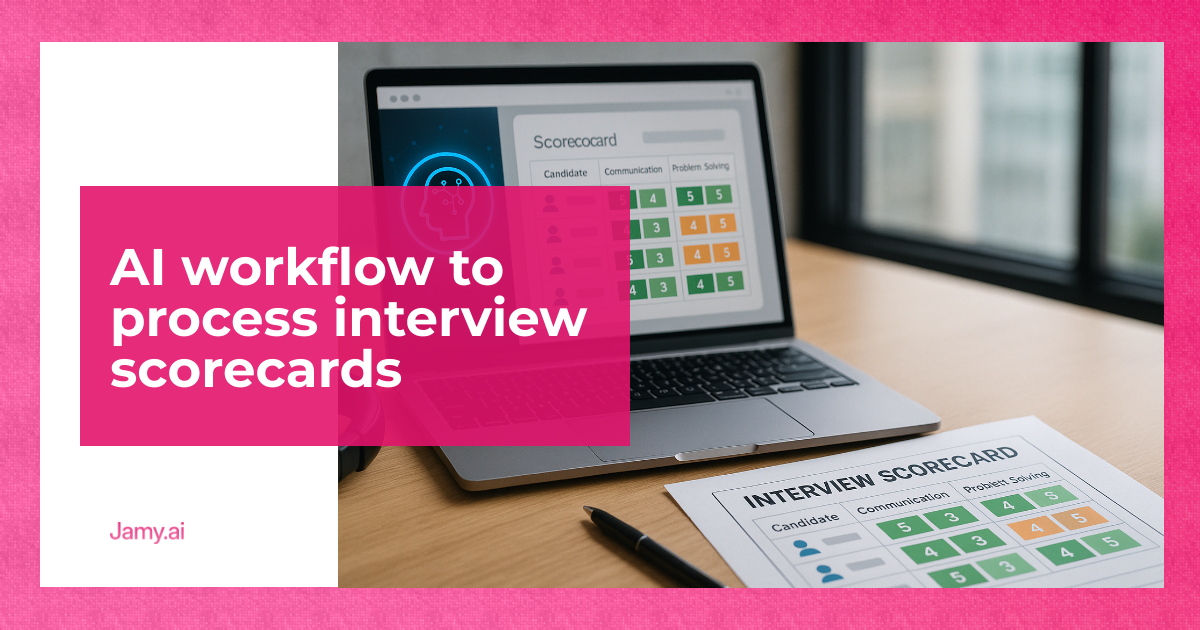

Interview scorecards are meant to reduce bias and speed up hiring decisions, but most teams still process them like it’s 2014: scattered notes, late submissions, inconsistent scoring and a painful debrief. The result is slow hiring, weak audit trails and decisions made on whoever speaks loudest in the meeting. Interview scorecard automation fixes the admin, but only if you design the workflow with clear owners, review points and a path back to evidence. This article gives you an operator-ready workflow you can run next week.
In this article, we’re going to discuss how to:
- Standardise scorecards so interviewers produce comparable evidence.
- Automate collection, cleaning and summaries without losing accountability.
- Run faster debriefs with clearer decisions, owners and next steps.
What ‘Interview Scorecard Automation’ Actually Means
Let’s define terms. A scorecard is a structured evaluation form: competencies, behavioural anchors and a place for evidence (quotes, examples, work samples). An ATS is an applicant tracking system, the system of record for candidates, stages and notes.
Interview scorecard automation means the repeatable workflow that:
- Gets scorecards submitted on time
- Normalises inputs (so ‘4/5’ means the same thing across interviewers)
- Summarises evidence for debriefs
- Creates a decision log (hire/no hire, risks, conditions)
- Pushes the outcome and action items back into the ATS
It does not mean letting a model ‘choose the candidate’. The system should support judgement, not replace it.
Before You Automate: Fix The Scorecard (Or Automation Will Just Scale Mess)
If your scorecard is vague, automation will only make you faster at producing vague output. Tighten the scorecard first.
Minimum viable scorecard template (copy this):
- Role outcomes (90 days): 3 bullet outcomes you expect from the hire
- Competencies (5 max): e.g. problem solving, customer communication, execution, leadership, craft
- Behavioural anchors: what a 1, 3 and 5 look like for each competency
- Evidence fields: ‘What did they say or do that proves your score?’
- Risk flags: gaps, unknowns, what needs a follow-up interview
- Decision: yes/no/maybe, plus ‘conditions for yes’
Rule that changes everything: no evidence, no score. This single constraint improves debrief quality more than any tool.
The AI Workflow: From Interview To Decision Log
This is the practical workflow to automate processing, while keeping humans accountable.
Step 1: Capture The Interview Record, With Consent
If you’re recording calls, treat it as a compliance decision, not a convenience. In the UK and EU, you’ll need an appropriate lawful basis and clear candidate information, and you should consider data minimisation and retention limits. For general guidance, see the UK ICO resources on lawful basis and transparency: ICO lawful basis guidance and ICO transparency guidance. Information only, not legal advice.
Operationally, set a single rule: if a candidate declines recording, your workflow must still work via written notes and the same scorecard.
Step 2: Turn Raw Notes Into Scorecard-Ready Evidence
Your first automation win is converting messy notes into structured evidence aligned to the scorecard. The pattern is simple:
- Extract candidate statements and examples
- Tag each snippet to a competency
- Keep verbatim quotes where they support the point
- Separate ‘evidence’ from ‘interpretation’
This is where an AI meeting notes tool can help, because it’s good at structuring language. The human review point is mandatory: the interviewer should confirm that tagged evidence is accurate before any summary is shared.
If you want a reference workflow for turning calls into structured notes and action items, start with Jamy’s AI meeting notes workflow and adapt the sections to your interview scorecard.
Step 3: Enforce Submission SLAs And Ownership
Scorecards fail because they arrive late, or not at all. Solve it like an ops problem.
Set these SLAs:
- Interviewer submits scorecard: within 2 hours of the interview
- Hiring manager reviews: within 24 hours of last interview in the round
- Recruiter checks completeness: same day
Automations to add:
- Auto-reminder at T+90 minutes if missing
- Auto-escalation to hiring manager at T+4 hours
- Auto-block debrief calendar invite if fewer than N scorecards are submitted
Make the recruiter the workflow owner, but keep scoring ownership with interviewers. That separation keeps the process moving without letting one person ‘fix’ everyone’s judgement.
Step 4: Normalise Scores And Detect Inconsistency
Even with anchors, two interviewers can rate differently. Automation can flag issues without changing scores.
Flags that are worth implementing:
- Score without evidence: any competency scored with an empty evidence field
- Outlier scoring: one interviewer is 2 points above or below the panel average on multiple competencies
- Contradictory notes: ‘strong communicator’ with evidence that shows unclear answers
These flags are prompts for discussion, not automatic corrections.
Step 5: Produce A Debrief Pack (One Page, Decision-Ready)
Your debrief should not be a 45-minute re-telling of the interview. It should be a decision meeting with evidence.
Debrief pack structure:
- Role outcomes (90 days): the lens for the decision
- Panel summary by competency: median score, evidence snippets, open questions
- Risks and mitigations: what could go wrong, what would you do about it
- Recommendation: hire/no hire/more signal required
- Next actions: owner, deadline, what ‘done’ looks like
This is a sensible place for interview scorecard automation: build the pack automatically, then require the hiring manager to approve it before it goes into the ATS.
Step 6: Write The Decision Log And Push It To The System Of Record
The decision log is your protection against ‘we just had a gut feel’. It also helps when you revisit hiring quality months later.
Decision log template:
- Decision: hire/no hire/pause
- Top 3 reasons (evidence-linked): short, specific
- Known risks: and how you’ll manage them
- Conditions: references, additional interview, work sample
- Owners and dates: who does what by when
Automate the creation of this log from the debrief pack, then store it in your ATS or HR system with consistent naming. If you use a meeting assistant for the debrief itself, a workflow like Jamy’s automated action items from meetings can reduce the usual follow-up drift.
Quality Controls: Where Humans Must Stay In The Loop
AI is good at structuring text. It is not accountable for hiring decisions. These checkpoints keep your process safe and useful:
- Interviewer sign-off: confirm the evidence tags and remove anything off-topic
- Recruiter completeness check: ensure every competency has evidence and a score
- Hiring manager approval: sign off the debrief pack and decision log
- Retention rule: delete recordings and drafts on a schedule that matches your policy
Metrics That Prove The Workflow Is Working
If you can’t measure it, you’ll end up with ‘nice notes’ and no operational improvement. Track:
- Scorecard on-time rate: % submitted within 2 hours
- Time to decision: last interview to decision log signed
- Debrief duration: aim for 20 to 30 minutes with a pack
- Rework rate: % of candidates needing ‘another chat’ due to missing signal
- Quality of hire proxy: 90-day outcome check against the original role outcomes
Run a monthly retro with hiring managers: keep the workflow, change the scorecard, or adjust the interview plan. Do not keep adding steps forever.
Conclusion
Interview scorecard automation is an operations upgrade: standardise inputs, automate the boring parts and keep decision-making tied to evidence. The fastest wins come from submission SLAs, evidence-first scoring and a one-page debrief pack. Once those are in place, tooling becomes a multiplier rather than a distraction.
Key Takeaways
- Fix the scorecard first, then automate processing and summaries.
- Use automation to enforce SLAs, normalise inputs and build a debrief pack, not to make the decision.
- Measure on-time scorecards and time to decision to prove the workflow saves time.
FAQs For Interview Scorecard Automation
How do I stop interviewers submitting scorecards late?
Set a clear SLA (for example, 2 hours) and automate reminders and escalation when it’s missed. Also block the debrief until the minimum number of scorecards are in, because consequences drive behaviour.
Should we record interviews to improve scorecard quality?
Recording can help with accuracy, but it introduces consent, privacy and retention considerations. Your workflow should still work without recording, using structured notes and evidence fields.
What’s the biggest mistake teams make with automated scorecards?
They automate a vague scorecard and end up with polished summaries of weak signal. Evidence-first scoring and interviewer sign-off are the controls that keep it grounded.
How do I run a better debrief with a distributed panel?
Send a one-page debrief pack 24 hours in advance, and require written comments before the meeting. In the debrief, focus on gaps, risks and the decision log, then assign owners and deadlines for follow-ups.
Tooling CTA (utility-led): If you want less admin and cleaner debrief inputs, consider using Jamy for structured interview notes, multilingual meeting summaries and action items your team can actually track.





